Cuneate, end to end

How it works

A few short tests at home. One line their clinician can read.

For clinics

Four steps, then it runs itself.

  1. Enroll. Create a patient in the dashboard. They get a one-time code — no name, no email, no date of birth.
  2. Set the plan. Choose which tests, and how often. It appears on their phone with a reminder at the time you set.
  3. Read the trend. A recovery score and a per-test change, worked out the same way every time.
  4. Take the report. Written for the next appointment, with every claim linked to the measurement behind it.
For patients

Open the app. Follow the voice.

Nothing to wear, charge, ship or set up. Large text, one step per screen, and results explained in plain words instead of bare scores.

  1. Sign in once with the code from the clinic.
  2. Today’s list is one or two short tests, never a wall of them.
  3. The phone talks you through it — stand still, walk, tap, read a line aloud.
  4. Ask Geo anything about your own results, in plain language.
Between visits

The weeks between visits, from both sides.

Nothing here is scheduled by us. The clinician sets the plan; the weeks follow from it.

  1. Monday

    The patient opens the app to two tests the clinician set.

    On the phone
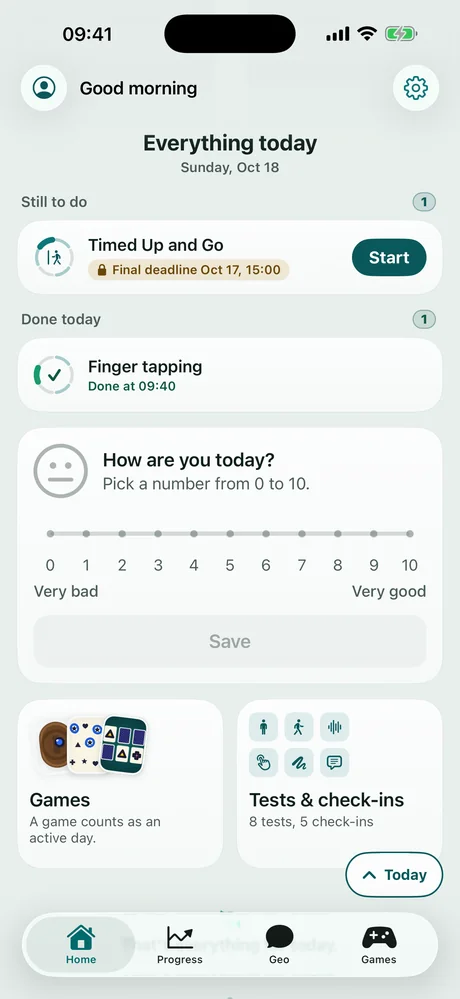
    The Everything today screen. Timed Up and Go is still to do, with a Start button. Finger tapping is done at 09:40. Below are a zero to ten mood check-in and shortcuts to Games and to Tests and check-ins.
    On the dashboard
    GRT-K7F2-9QH4Sample data
    Timed Up and GoTo doOnce a week
    Finger tappingDone 09:40Daily
  2. Monday, a minute later · Wednesday

    Each result lands on the dashboard, against the patient’s own usual range.

    On the phone
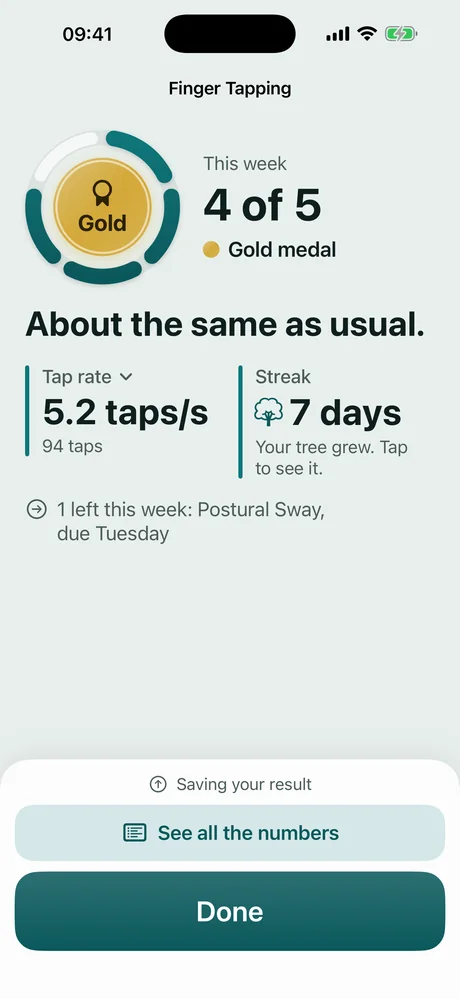
    A Finger Tapping result. A gold medal, 4 of 5 done this week, and the words About the same as usual. Tap rate 5.2 taps per second from 94 taps, and a 7 day streak. Buttons read See all the numbers and Done.
    On the dashboard
    GRT-K7F2-9QH4Sample data
    Tap rate Usual range 5.2 taps/s · 3 tests
  3. Thursday

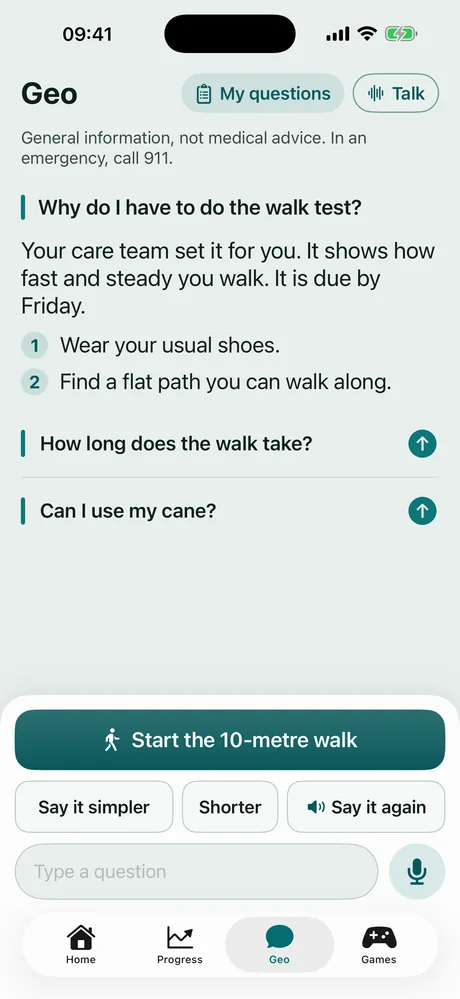
    The patient asks Geo why the walk test matters.

    On the phone
    Geo answering Why do I have to do the walk test. The reply says the care team set it, that it shows how fast and steady they walk, and gives two steps: wear usual shoes, find a flat path. Two more questions are offered, and a button reads Start the 10-metre walk.
  4. Week five · next follow-up

    One bad test could be a bad morning. Multiple in a row is a change.

    On the dashboard
    GRT-K7F2-9QH4Sample data
    Confirmed decline Balance, eyes closed: 52 → 41 2 tests in a row
    Possible outlier · test 6 Confirmed decline · test 7 Shaded: usual range

Sample screens and values.

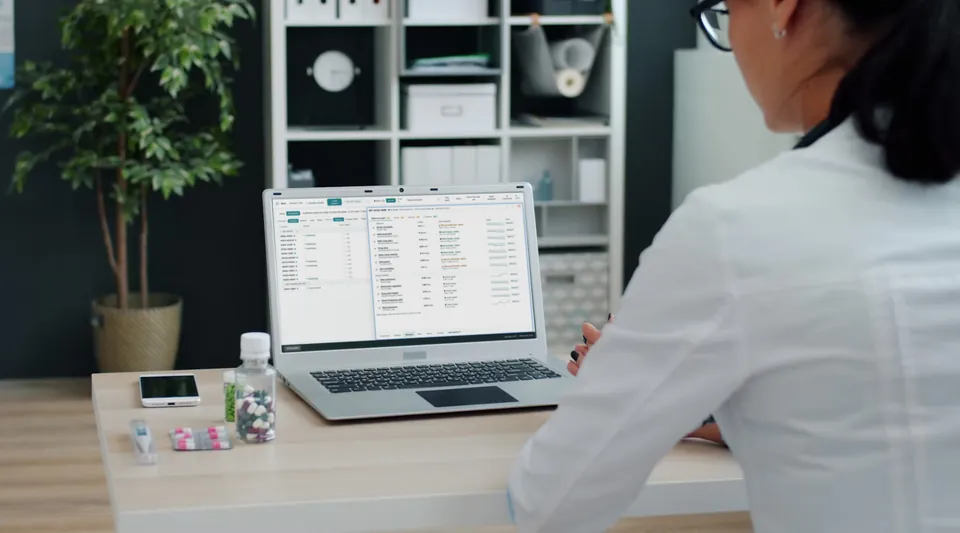
A clinician at a desk with the Cuneate dashboard open on a laptop: the caseload on the left, one patient's results on the right.

What the clinician gets from it

  • Confirm expected recovery rather than relying on recall at the next visit.
  • Identify an unexpected plateau or decline worth reviewing.
  • Compare recovery against the patient’s own prior performance.
  • Bring objective longitudinal data into follow-up, therapy, and future discussions.
What it measures

Six biomarker families, nine guided assessments.

Graded at home, the same way, every week.

Measured by the phone

9 tests
Motor efficiency Balance, walking, hand control7 tests
  • Postural sway
  • 10-metre walk
  • Timed Up & Go
  • 1-minute walk
  • Repetitive reach
  • Finger tapping
  • Line & circle drawing
Speech fluency Clarity, intelligibility1 test
  • Speech assessment
Reaction time Processing speed1 test
  • Reaction time

Reported by the patient

5 check-ins
Mood Depression, anxiety, daily mood3 check-ins
  • PHQ-9
  • GAD-7
  • Daily mood
Daily living Independence at home1 check-in
  • Barthel index
Adherence Plan, medication2 items
  • Plan
  • Medication check-in

See it with your own patients in mind.

We will walk you through the dashboard and the measurement work underneath it. Bring your questions about how it measures.